Branching Workflows, Commit Conventions, and CI Basics
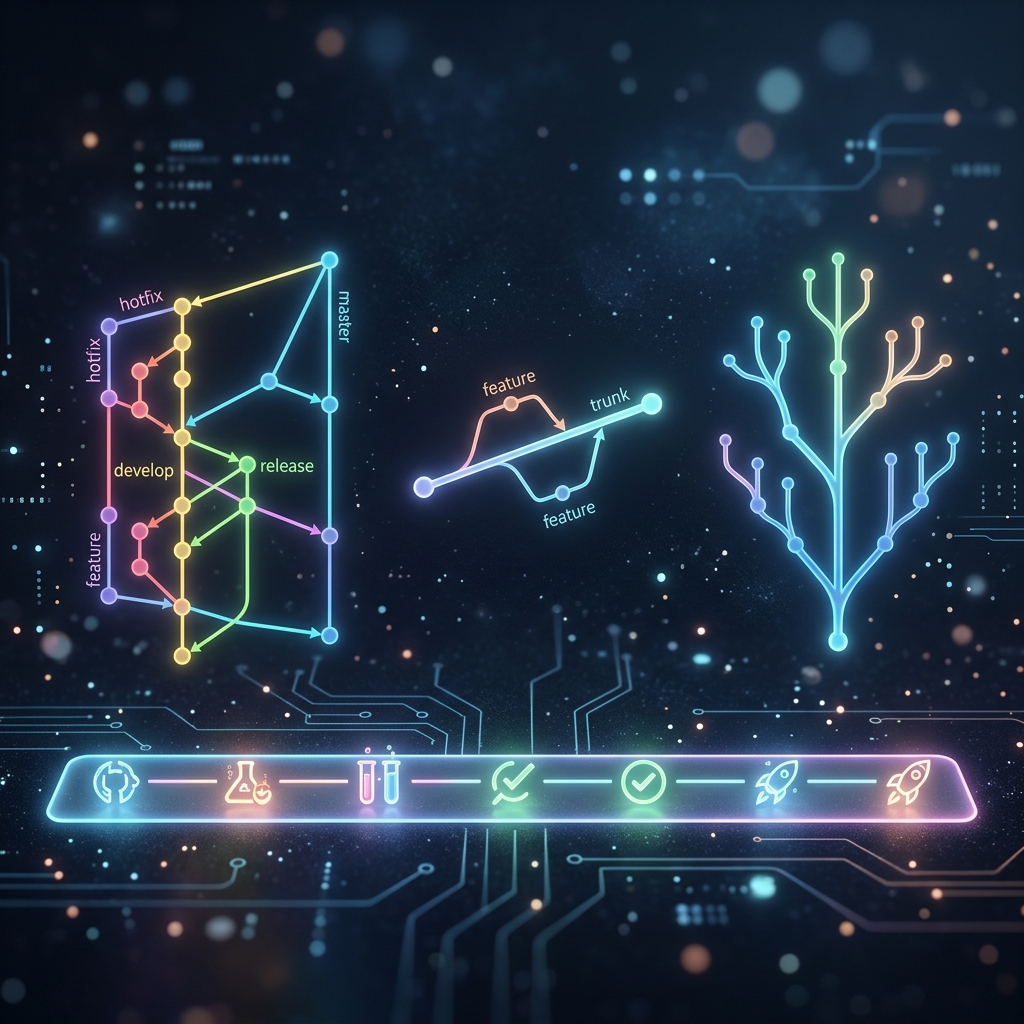
Git Flow, trunk-based development, and feature branching are all built from the same primitives covered so far — the actual difference between them is how long branches live and how often they merge, which is also what determines how much your CI pipeline needs to do.
I've worked on a team that kept feature branches alive for six weeks, merging them back in one enormous conflict-heavy pass.
I've also worked on a team that merged small changes into main multiple times a day, behind feature flags, with almost no merge conflicts at all.
Both teams used the exact same Git commands. The difference was entirely a convention about branch lifetime — and it's worth naming these conventions explicitly because "we should use Git Flow" or "let's go trunk-based" gets thrown around in planning meetings without much clarity on what's actually different between them.
Feature branching — the default, unnamed convention
The simplest convention, and the one most teams already use without naming it:
Every piece of work gets its own branch off main, merged back via pull request when done, then deleted.
git switch -c feature/checkout-validation
# ...work, commit...
git push -u origin feature/checkout-validation
# open PR → review → merge → delete branch
This alone is "feature branching." The variations below are added rules on top of this base.
Git Flow — structured, release-oriented
Git Flow adds a fixed set of long-lived branch types with defined roles. main always reflects production. develop is the integration branch where finished features accumulate. Feature branches come off develop and merge back into it. When you're ready to ship, you cut a release/* branch from develop for final bug fixes, then merge it into both main and develop. Hotfixes branch directly off main for urgent production issues and also merge into both.
| Branch type | Purpose |
|---|---|
main | Always reflects production |
develop | Integration branch — finished features accumulate here |
feature/* | Branches off develop, merged back into develop |
release/* | Cut from develop when preparing a release; only bug fixes; merged into both main and develop |
hotfix/* | Branches off main for urgent production fixes; merged into both main and develop |
Best for: Products with scheduled, versioned releases — desktop software, mobile apps with App Store review cycles, anything with a "v2.3.1" release cadence.
Not ideal for: Continuous deployment. The release-branch-into-two-places ceremony is overhead that doesn't pay off when you deploy multiple times a day.
Trunk-based development — short-lived branches, frequent integration
The opposite instinct: keep exactly one long-lived branch (main), and require every other branch to be short-lived — merged back within a day or two, not weeks.
Work that isn't finished yet still gets merged into main behind a feature flag (a runtime toggle that hides unfinished functionality from users), rather than living unmerged on a branch.
Why this works: The longer a branch lives separately from main, the more the two diverge, and the worse the eventual merge conflict gets. Merging small, finished pieces constantly keeps divergence close to zero.
Best for: Continuous deployment shops (deploying many times a day). This requires more discipline around feature flags and smaller incremental commits.
Commit message conventions — why they matter beyond aesthetics
A one-line summary like fix stuff is technically valid and completely useless six months later.
Conventional Commits is the most widely adopted structured format:
feat(checkout): validate promo codes before applying discount

fix(auth): handle expired refresh tokens without crashing

docs: update README setup instructions

refactor(api): extract user validation into separate module

chore: update dependencies
Format: type(optional-scope): description
| Type | When to use |
|---|---|
feat | A new feature |
fix | A bug fix |
docs | Documentation only |
refactor | Code change that isn't a bug fix or feature |
test | Adding or fixing tests |
chore | Build process, dependency updates |
! suffix or BREAKING CHANGE: footer | Breaking API change |
The real payoff isn't just readability. Tools can parse these prefixes to:
- Auto-generate changelogs
- Drive automatic semantic version bumps (
fix→ patch,feat→ minor,!→ major)
Write the summary in imperative mood: "add," not "added" or "adds" — matching Git's own generated messages.
CI basics — what happens after you push
A CI (continuous integration) pipeline is a script that a remote hosting service runs automatically in response to Git events — a push, or a PR being opened.
GitHub Actions example
# .github/workflows/ci.yml
name: CI
on:
  pull_request:
    branches: [main]

jobs:
  test:
    runs-on: ubuntu-latest
    steps:
      - uses: actions/checkout@v4
      - uses: actions/setup-node@v4
        with:
          node-version: 20
      - run: npm ci
      - run: npm test
      - run: npm run lint
When you push to a feature branch or open a PR, GitHub detects the event and kicks off the pipeline: it checks out the code, installs dependencies, runs your tests, and runs the linter. If everything passes, the PR gets a green checkmark and can be merged. If anything fails, it's blocked.
"All checks must pass before merging" (a common branch-protection rule on main) is running exactly this — the same npm test you could run locally, just automated and required before merge.
GitLab CI works the same way, defined in a .gitlab-ci.yml at the repository root.
- The connection back to Git:
on: pull_requesttriggers when a PR is opened or a new commit is pushed to the PR branch. This is just Git push events, wrapped in automation.
Choosing a workflow
| Feature Branching | Git Flow | Trunk-Based | |
|---|---|---|---|
| Branch lifetime | Days to weeks | Days to months | Hours to days |
| Merge frequency | When feature is done | On release schedule | Multiple times per day |
| Complexity | Low | High | Medium (requires feature flags) |
| Best for | Most teams | Versioned releases | High-frequency deployment |
No workflow is universally correct. The right one depends on your release cadence, team size, and how much discipline you can maintain around branch lifetime.
The final chapter pulls the most common real-world problems together in one place — a direct "how do I fix this" reference for the messy situations that don't map cleanly to a single topic.
Enjoyed this chapter?
Get an email when I publish the next chapter. No spam — just new technical deep-dives.
Comments
Share feedback or questions about this blog post.
No comments yet. Be the first to share your thoughts.