Editable Template Architecture
Understand how Editable Templates, Template Types, Layout Containers, Component Policies, Core Components, and the repository work together to create pages in Adobe Experience Manager.
A page is content plus a contract
The earlier Module 2 chapters separated the moving parts: templates define the shared frame, policies limit authoring choices, Layout Containers govern composition, styles provide visual variation, and Core Components provide the implementations.
Creating a page brings those decisions together. This is not a literal runtime call stack; it is the configuration and content relationship an author sees as one page.
What the selected template contributes
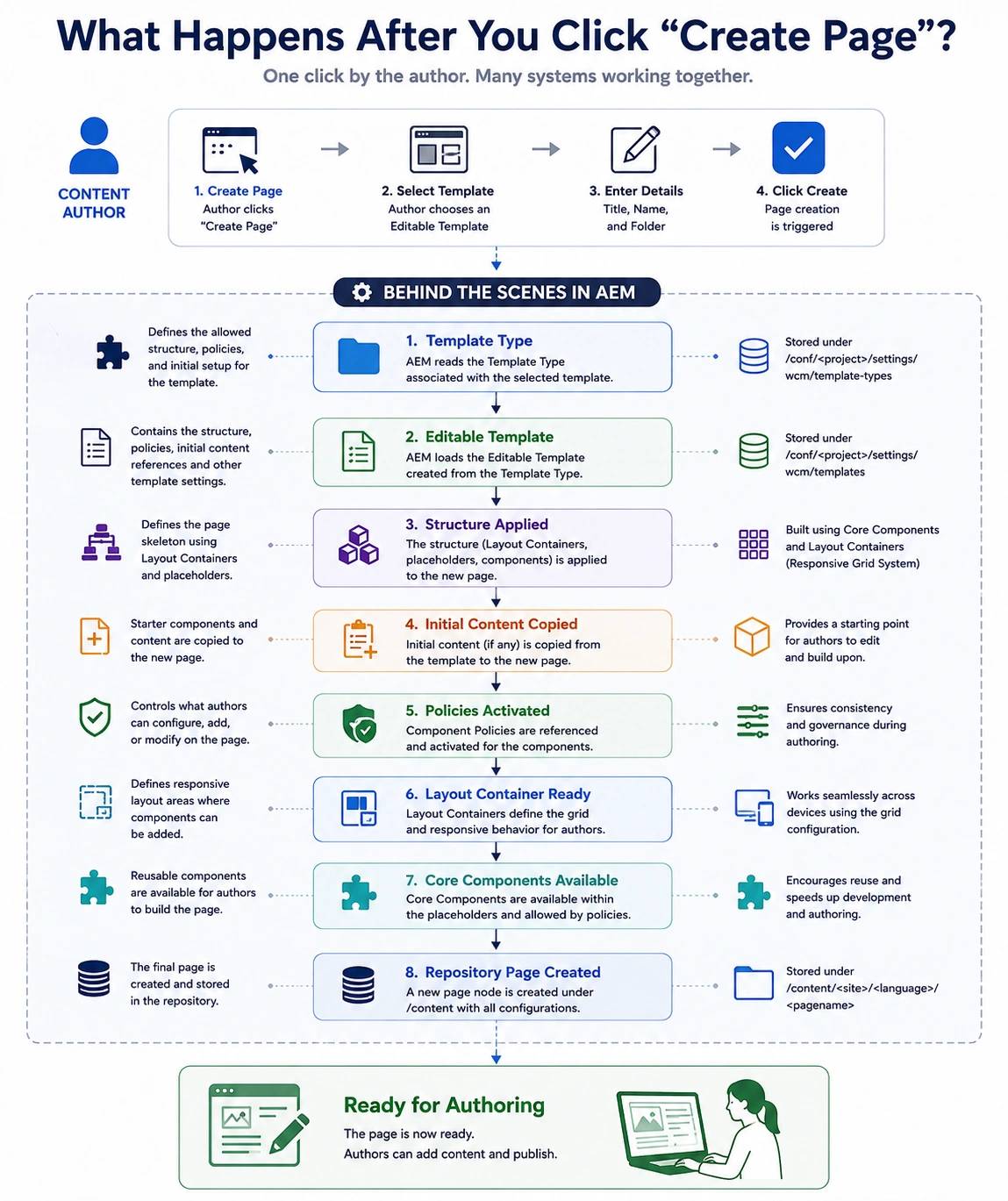
In the Sites console, an author chooses a template, enters page details, and creates the page. The selected editable template supplies structure, initial content, and policy mappings. The page then contains its own content while continuing to use those template decisions.
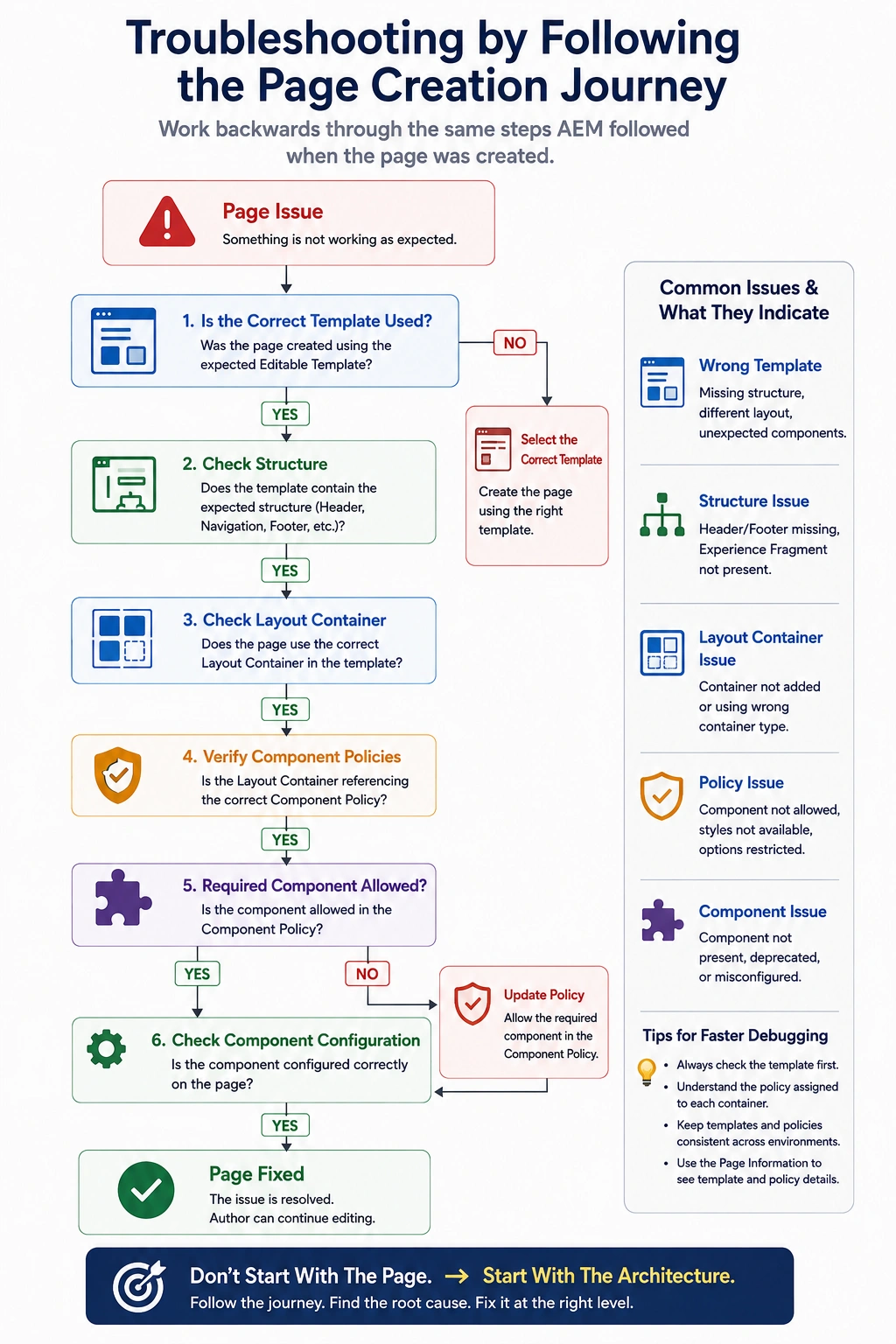
The distinction matters when troubleshooting: a missing locked header points to template structure, an unavailable component points to a policy, and a missing authored field points to page content or the component itself.
Step 1: The selected editable template
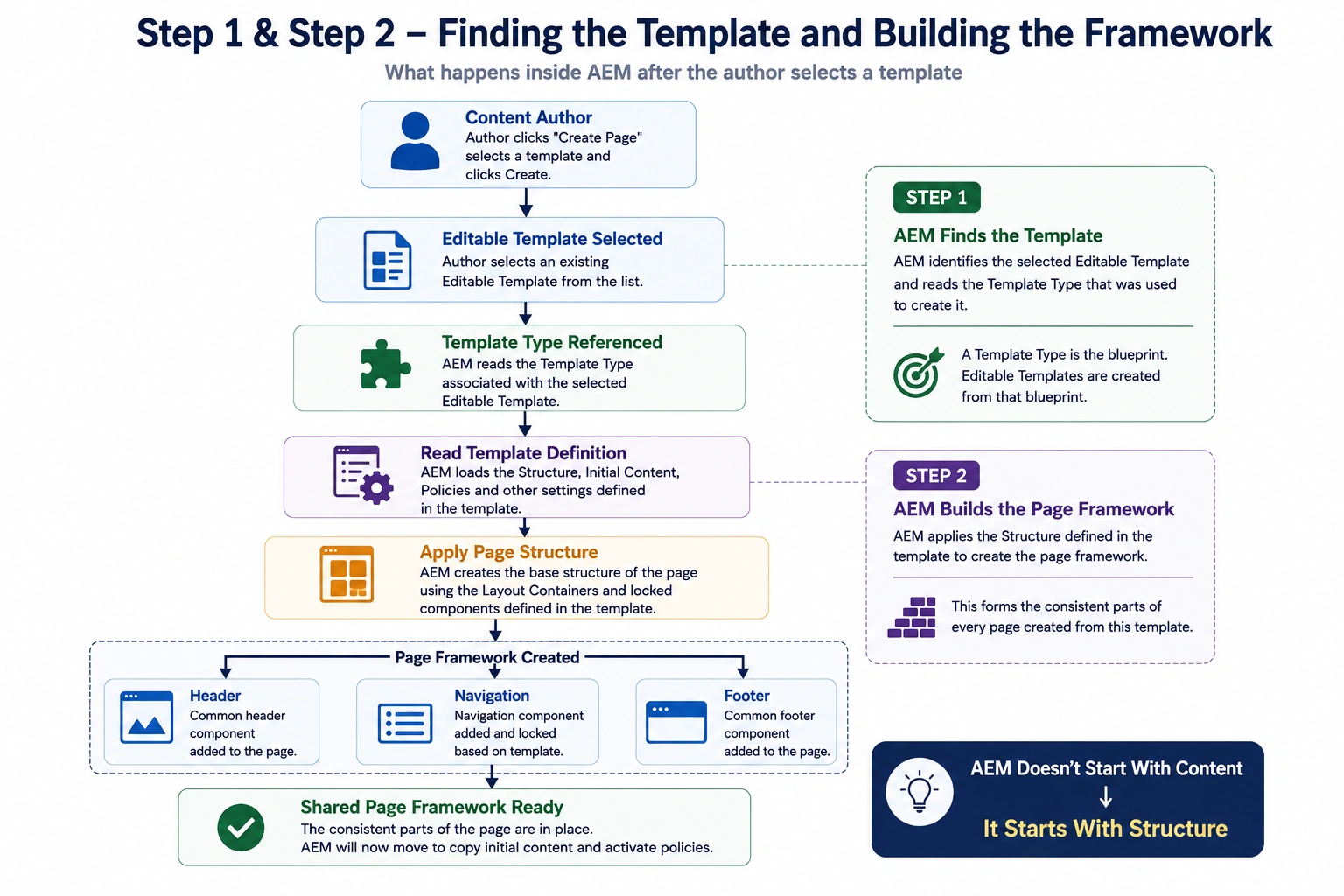
Once the author selects an Editable Template and clicks Create, AEM begins by identifying the template that will be used to build the new page.
Although the author only sees a template name such as Home Page or Article Page, that editable template was originally created from a Template Type.
Think of a Template Type as the foundation for creating Editable Templates.
Developers create Template Types during project development.
Template authors then use those Template Types to create project-specific Editable Templates through the AEM interface.
The Template Type is used when a template author creates the editable template. When an author creates a page, the selected editable template is the relevant configuration. Do not describe the Template Type as a per-page runtime inheritance layer.
Step 2: Structure supplies the shared frame
The template's Structure defines the shared frame.
The Structure contains the elements that should remain consistent across every page created from that template.
Typical examples include:
- Header
- Navigation
- Footer
- Shared Experience Fragments
- Locked Layout Containers
Locked structure components are present on resulting pages and page authors cannot move or delete them. Changes to template structure can therefore affect existing pages; they require the same caution as any shared configuration change.
Step 3: Initial Content provides the starting state
Once the page framework is in place, AEM continues preparing the page for content authors.
If the template contains Initial Content, AEM copies it into the newly created page.
Initial Content gives authors a meaningful starting point instead of presenting an empty page.
For example, a Landing Page template might already include:
- A Hero Banner
- A Title component
- A Text component with placeholder content
- A Call-to-Action button
These components become part of the page immediately after it is created.
Authors can edit or replace them as needed without rebuilding the page from scratch.
Not every template uses Initial Content, but when it does, it helps maintain consistency while reducing repetitive work for content authors.
Step 4: The page stores its own content
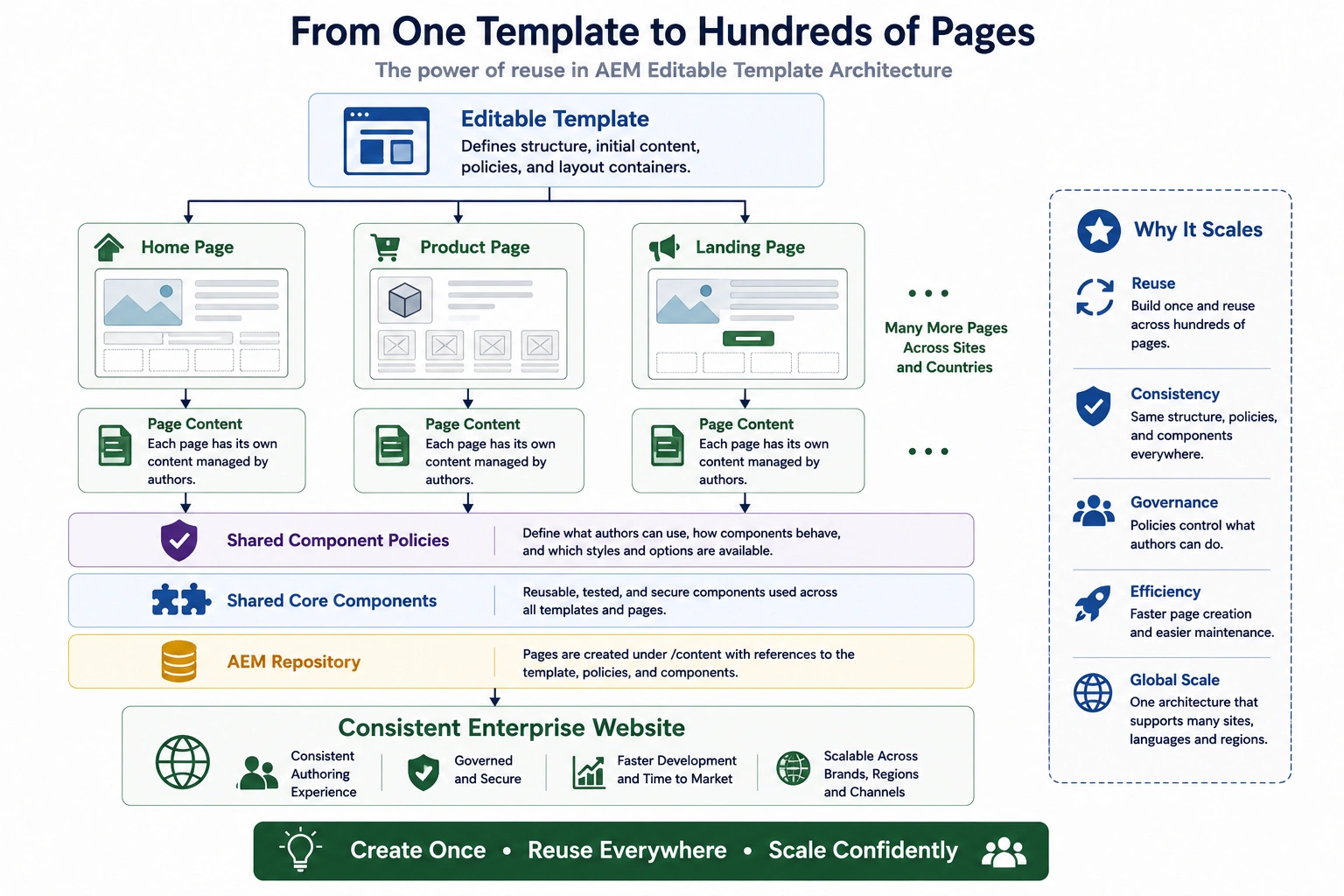
The new page is stored as content in the repository. Its initial content becomes page content that an author can edit. Policies and template configuration remain shared configuration, rather than being copied into every page.
Why the separation helps
For a multi-site implementation, teams can reuse the same page boundary where it fits and create a different template where the content model or authoring task differs. Templates define the shared frame, policies define authoring constraints, components define rendering behavior, and pages contain authored content. That separation makes a disagreement easier to locate and change without patching individual pages.
When Things Don't Work as Expected
Understanding the page creation lifecycle becomes especially valuable when something doesn't work as expected.
In enterprise projects, developers are often asked questions like:
-
"Why can't I see the new component?"
-
"Why is this page missing the header?"
-
"Why does this page look different from every other page?"
Although these problems appear on the page, the actual cause is usually somewhere else in the architecture.
Instead of immediately debugging the page itself, experienced AEM engineers work backwards through the page creation process.
They ask questions such as:
- Was the correct Editable Template selected?
- Is the expected Structure present in the template?
- Does the Layout Container reference the correct Component Policy?
- Is the required component allowed by that policy?
- Is the page using the expected Editable Template?
- Is the current template configuration published?
Following the page creation lifecycle makes troubleshooting much more systematic.
Rather than guessing, engineers simply retrace the same sequence AEM followed when the page was created.
The decision to carry forward
An editable template is the contract behind a page type. Structure remains shared, Initial Content becomes the page's starting content, policies define available choices, and components render the result. Debug against the layer that owns the decision instead of treating every page problem as a component problem.
Module 3 moves from page authoring to structured content. It begins with Why Pages Are No Longer Enough: when content must be reused outside a rendered page.
Enjoyed this chapter?
Get an email when I publish the next chapter. No spam — just new technical deep-dives.
Comments
Share feedback or questions about this blog post.
No comments yet. Be the first to share your thoughts.